

 English
 Español
 Français
 Deutsch
 Italiano
 Português
 日本語
 Русский
 한국어
 简体中文
 繁體中文
 العربية
 Български
 Català
 Nederlands
 Ελληνικά
 हिन्दी
 Bahasa Indonesia
 Bahasa Melayu
 Polski
 Svenska
 ไทย
 Türkçe
 Українська
 Tiếng Việt
 Kiswahili
All tools › Edit and sign
Fill PDF Forms Online for Free
Enter text in an existing PDF form, tick supported checkboxes or place new text on a flat page. Basic form filling is free without an account, and your document is processed in your browser.
Basic use is free without an account, a daily file quota or a PDFandGO watermark. OCR, existing-text replacement and Word export are separate advanced operations; using them on the document can change its download-access requirements. Current allowances and Pro plans.
Fill a PDF FormDocument processing on your device · works in your browserHow to fill in a PDF form
- Choose the PDF. The tool checks for supported interactive fields.
- Enter your information in the fields. If the page has no fields, use Add text and click where an entry should appear.
- Review the text, dates and checkbox selections. Choose the flatten option if you want the filled fields to become page content.
- Download as PDF and reopen the result in a PDF reader. Keep the original blank form for future use.
Interactive fields or a flat form?
An interactive form contains fields that a PDF reader can focus and edit. The tool can show supported text boxes, checkboxes and other controls over the page. Enter values in those controls and check that each entry belongs to the right label.
A flat form is a picture or a normal PDF page with printed lines but no editable fields. Add text places a visible entry on the page. You do not need OCR just to type an answer over a scanned form.
Review names, dates and checkboxes
Long entries can exceed the space designed for a field. Check the saved appearance, especially names, reference numbers and date formats. Fields marked read-only by the document may not be editable.
PDF viewers can display form appearances differently. Reopen the downloaded file in the reader you or the recipient plans to use, rather than relying only on the browser preview.
Keep editable fields or flatten the result
When you keep the existing fields, a compatible reader can continue editing them in the saved PDF. Flattening turns the filled field appearances into page content so those fields are no longer editable controls.
Flattening is not redaction and does not make a document confidential. Keep the editable or blank original if you will need to change its fields later.
Filling a form is different from creating one
This tool fills fields that already exist or adds visible text to a flat page. To design new interactive fields for other people to complete, continue with Create fillable PDF forms, which is an advanced feature.
A visible signature can be added with Sign PDF. Creating fields, OCR, existing-text changes and Word export have separate access rules; basic form filling and a PDF download are free.
Try the example and inspect the output
Our interactive sample has three fields: a name, a date entry and a checkbox. We entered “Alex Example” and “2026-10-27”, then ticked the box. One PDF keeps all three editable fields; a second flattened copy contains their appearances as page content with no editable form fields.
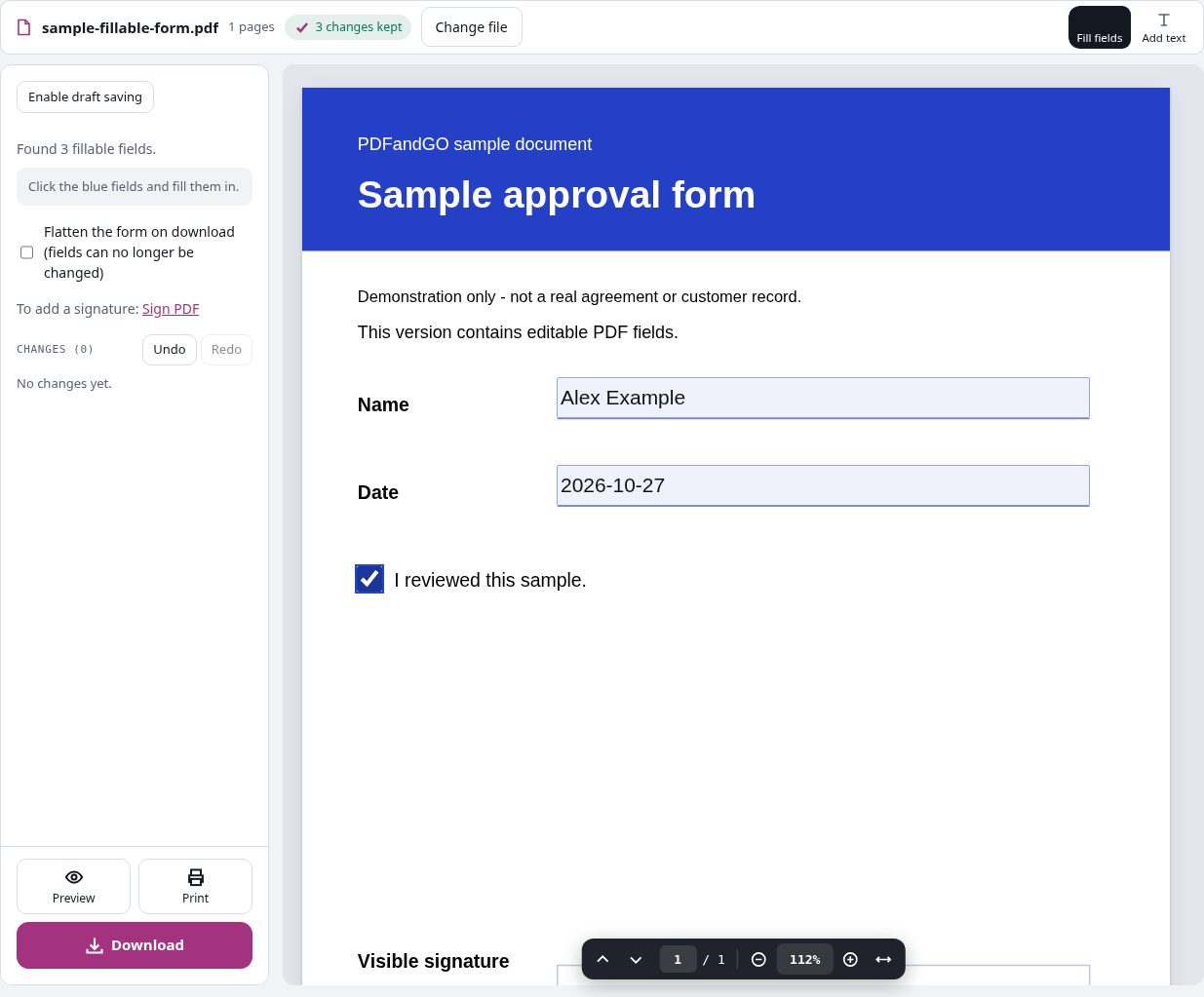
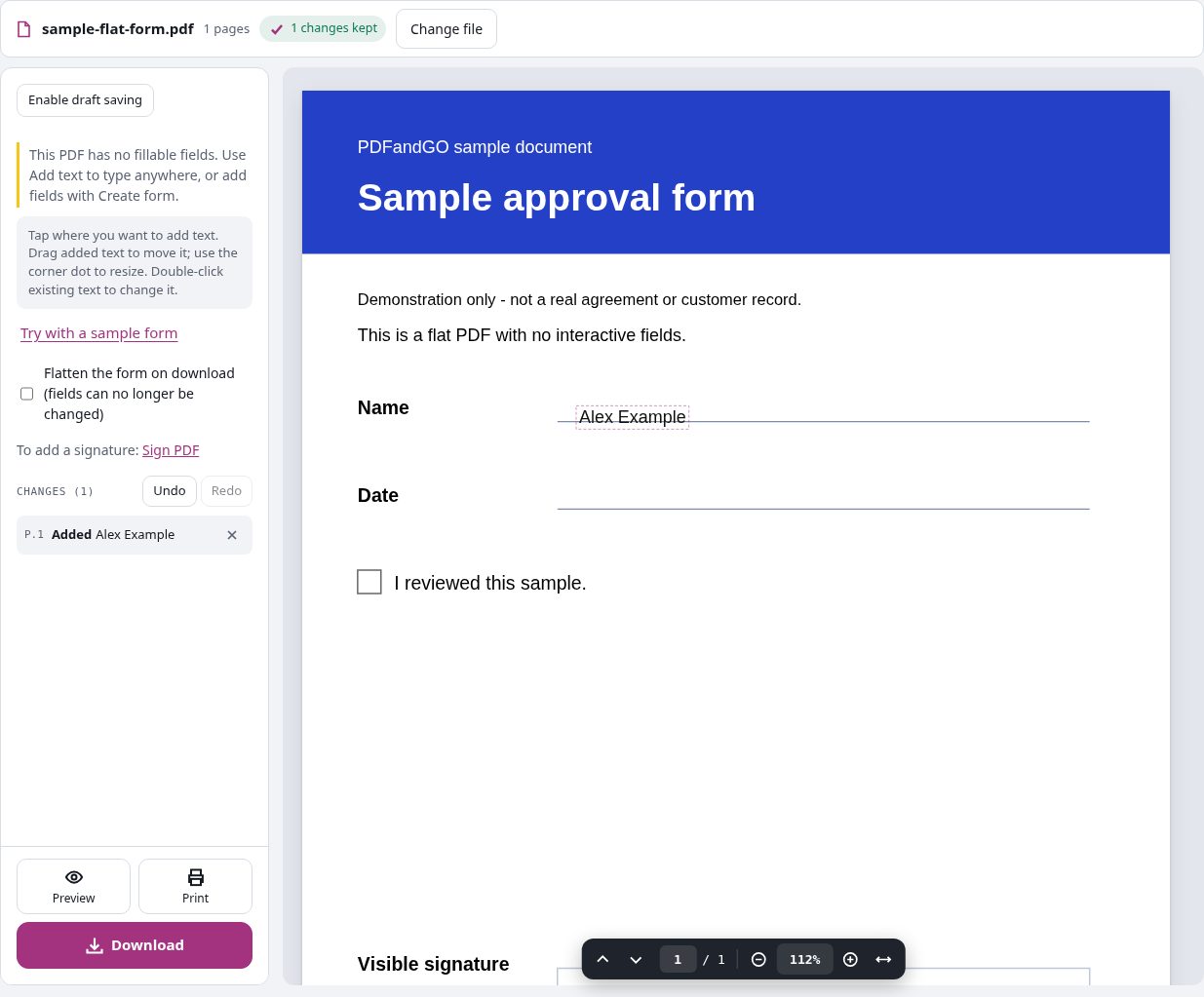
We also opened a flat version with no fields and added the name as new text. That output contains the added text without using OCR. All entries are invented demonstration data.
Blank interactive sampleCompleted editable formCompleted flattened formBlank flat sampleFlat sample with added text
Questions and answers
Can I fill in a PDF that has no editable fields?
Yes. Use Add text and click the part of the page where the entry should appear. This adds visible text; it does not turn the page into an interactive form.
Do I need OCR for a scanned form?
Not just to type answers over it. You can add visible text to the scanned page. OCR is useful when you need to recognize the printed words, and it uses advanced-download access.
What does flattening a PDF form do?
It turns the filled field appearances into page content and removes their editable field controls from the output. Keep the original if you may need those controls later.
Can I create new form fields here?
Use Create fillable PDF forms when you need to design interactive fields. Filling an existing form or typing over a flat page is a separate task.
Are my document files uploaded?
No. PDF processing runs in your browser on your own device. Software, fonts or language models may download when needed. Account, payment and technical data are handled separately as explained in the privacy policy.
Does it work on a phone?
Use a supported modern browser on your phone, tablet or computer. Large or complex documents depend on your device memory and may take longer.
Is it free?
Basic use is free without an account, a daily file quota or a PDFandGO watermark. OCR, existing-text replacement and Word export are separate advanced operations; using them on the document can change its download-access requirements. Current allowances and Pro plans.