

 English
 Español
 Français
 Deutsch
 Italiano
 Português
 日本語
 Русский
 한국어
 简体中文
 繁體中文
 العربية
 Български
 Català
 Nederlands
 Ελληνικά
 हिन्दी
 Bahasa Indonesia
 Bahasa Melayu
 Polski
 Svenska
 ไทย
 Türkçe
 Українська
 Tiếng Việt
 Kiswahili
All PDF tools › File size and document structure
Try to repair a damaged PDF
If a PDF does not open correctly, try rebuilding the readable parts. Review what was recovered instead of assuming that an opening file contains every original page.
Open the toolPDF processing on your device · keep your originalBasic use is free without an account, a daily file quota or a PDFandGO watermark. OCR, existing-text replacement and Word export are separate advanced operations; using them on the document can change its download-access requirements. Current allowances and Pro plans.
How to try repairing a PDF
- Choose the damaged PDF file.
- Wait for the inspection and recovery attempt, then read the reported result.
- Save any recovered copy and check its pages, text and missing sections.
Recovery depends on what remains
Some structural problems can be repaired or rebuilt from the data still present. Missing page data cannot simply be recreated. If a download was interrupted, getting a complete copy from its original source can be more useful than trying to repair the incomplete file.
Recovered pages may be images
A fallback can rebuild readable pages as pictures. In that case selectable text, forms and links may not survive. OCR may help with searching recovered page images, but it also needs review and uses separate advanced access rules.
Keep the original and compare the result
Check page count, diagrams and small text in the output, not just whether a reader opens it. Do not overwrite the only source copy. Repair is not password recovery and does not certify that a document is authentic or unchanged.
Understand a limited repair example before trying a damaged file
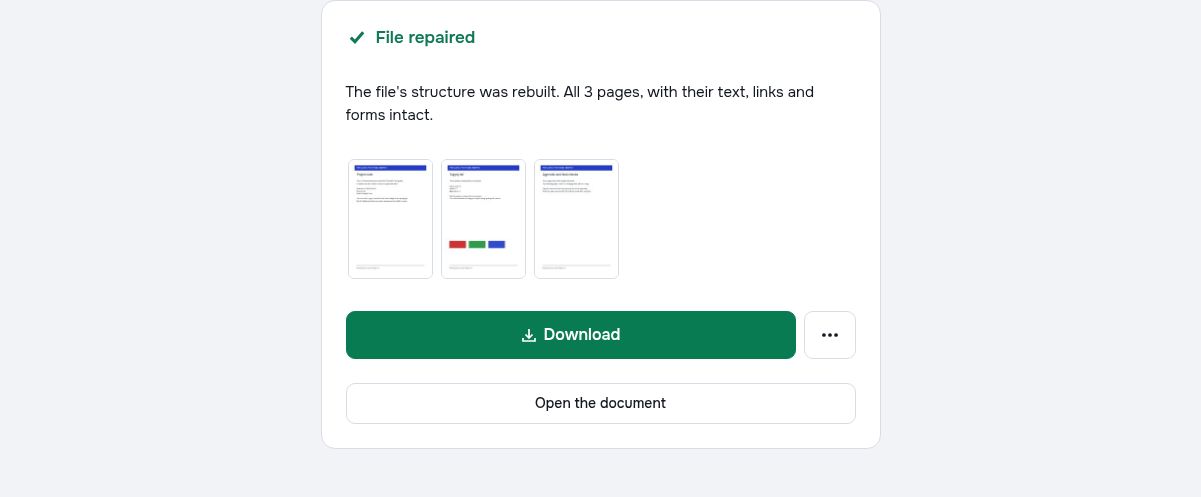
The practice PDF below has a deliberately incorrect startxref pointer while its three pages and page contents remain in the file. It illustrates one structural fault. It does not represent a deleted document, an unreadable image or every kind of PDF corruption.
Use the intact sample as a reference
Keep the normal sample and the damaged copy separately. Try opening the damaged copy in the repair tool, then compare any recovered result with the intact version. A parser may already compensate for this particular pointer fault, so different readers can report different behavior.
Check recovered content page by page
Count the pages and inspect the project note, supply list and appendix. Check whether text selection, links or form features matter for your use case. A result that opens is useful evidence of recovery, but it does not prove that every object or interactive feature has been preserved.
Check your result
- Keep the damaged original unchanged.
- Compare any recovered result against the intact three-page sample.
- Inspect text and page order as well as whether the file opens.
Try it with fictional sample files
These are synthetic practice inputs, not customer documents or promised outputs. Keep the originals and inspect your own exported copies. Current allowances and Pro plans apply to advanced downloads.
Continue with these tools:
Questions and answers
Can every broken PDF be repaired?
No. The outcome depends on the damage and the readable data that remains. A file with missing or unreadable content may not be recoverable.
Will recovered text remain selectable?
It depends on the recovery path. A page rebuilt as an image does not retain native text selection.
Does this recover a forgotten PDF password?
No. Repairing file structure is different from recovering an unknown opening password.
What if the recovered PDF opens but pages are missing?
Opening successfully is not proof of complete recovery. Compare the page count and content with another source copy if available.
Are my document files uploaded?
PDF processing runs in your browser on your own device. Document files are not uploaded to a PDF-processing server. Software, fonts or language models may download when needed. Account, payment and technical data are handled separately under the privacy policy.
What are the access and download rules?
Basic use is free without an account, a daily file quota or a PDFandGO watermark. OCR, existing-text replacement and Word export are separate advanced operations; using them on the document can change its download-access requirements.
What is damaged in the downloadable repair example?
Only the startxref pointer is deliberately incorrect. The three page contents remain in the file. Some readers can compensate for this fault; successful recovery of this example does not guarantee recovery of missing or otherwise damaged content in another PDF.