

 English
 Español
 Français
 Deutsch
 Italiano
 Português
 日本語
 Русский
 한국어
 简体中文
 繁體中文
 العربية
 Български
 Català
 Nederlands
 Ελληνικά
 हिन्दी
 Bahasa Indonesia
 Bahasa Melayu
 Polski
 Svenska
 ไทย
 Türkçe
 Українська
 Tiếng Việt
 Kiswahili
All tools › Security
Remove a Known Password from a PDF
Save a PDF that no longer asks for its opening password. Choose the protected file, enter a password that opens it and download the unlocked copy. Basic password removal is free, and the document and password are processed in your browser.
Basic use is free without an account, a daily file quota or a PDFandGO watermark. OCR, existing-text replacement and Word export are separate advanced operations; using them on the document can change its download-access requirements. Current allowances and Pro plans.
Unlock a PDFDocument processing on your device · works in your browserHow to remove a PDF password
- Choose a protected PDF that you are authorized to open and modify.
- Enter the password that opens the document. An incorrect password produces an error instead of an unlocked download.
- Choose the unlock-and-download button to save an unencrypted copy.
- Close and reopen the downloaded file in a PDF reader. Confirm it opens without the password and check its pages, text and interactive features.
Remove the password when you already know it
An opening password encrypts a PDF and prevents a reader from opening it until a valid password is supplied. This tool uses the password you enter to create an unencrypted output. It does not discover, guess or recover a forgotten password.
This is useful when you need a working copy of a document you can already open. Keep the protected original if you still need that version, and decide where the unprotected copy should be stored or shared.
Opening passwords and permission restrictions
Some PDFs open without asking for a password but contain printing, copying or editing permission preferences. These are different from an opening password. Readers handle permission preferences differently.
When a file already opens, the tool may show that no opening password is required and offer a download. Use the result only for documents you are authorized to modify. For a file that does require an opening password, you must supply one that works.
Check text, forms and links in the saved copy
The direct decryption path can retain the document’s page text and structure. In our example, an AES-256 protected three-page PDF becomes an unencrypted three-page PDF with its visible text still selectable.
If direct decryption is unavailable, the tool may rebuild pages as images after opening them with the password. That fallback does not retain selectable text, live links or interactive forms. Check the downloaded copy, especially if you need to complete fields or follow internal links.
Unlocking does not clean or redact the document
An unlocked file still contains the document content. Removing an opening password does not remove names, account details or hidden metadata. Use Redact PDF or the metadata inspection tool if those are the changes you need.
To add a new opening password, use Protect PDF after preparing the document. PDFandGO does not send the file to a recipient: downloading and deciding how to share the result are separate steps.
Try the example and inspect the output
We used the AES-256 protected three-page sample from Protect PDF. An incorrect password was rejected without a download. The public demo password below produced a three-page unencrypted PDF, with Overview, Checklist and Appendix in their original order and the page text still selectable.
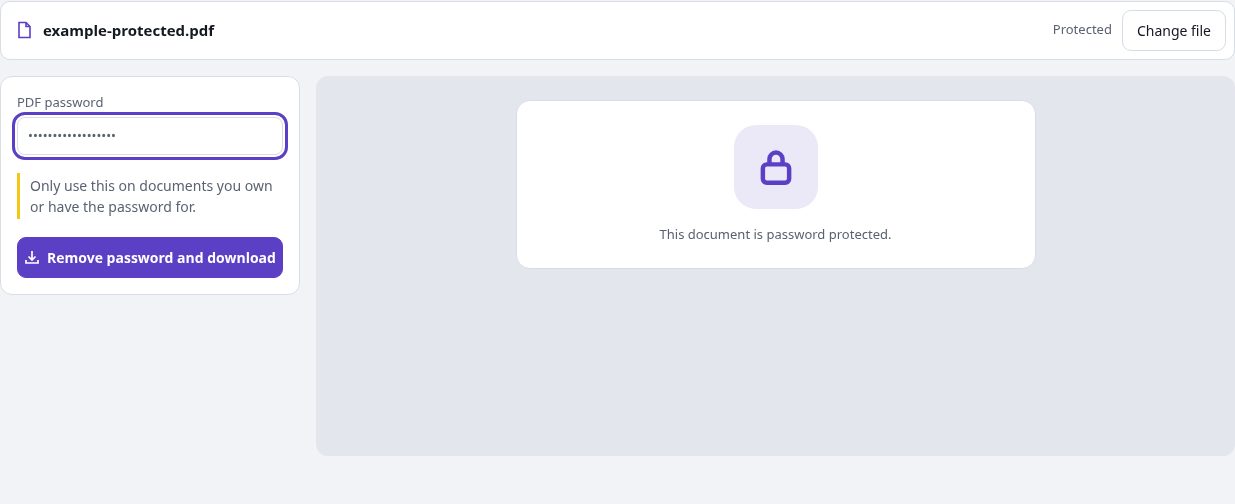
This example used direct decryption. It demonstrates removing a known password; it does not demonstrate recovering a forgotten one. The protected and unlocked samples contain no confidential data.
Public sample password: PDFandGO-demo-2026. Choose your own password for your documents.
Questions and answers
Can I unlock a PDF without knowing its opening password?
No. This tool requires a password that can open a password-protected file. It does not recover or guess a forgotten password.
Will the unlocked PDF ask for the password again?
The unlocked output is unencrypted. Reopen the downloaded file to check it. The original protected file on your device remains a separate file.
Will text and form fields always remain editable?
Direct decryption can preserve the document structure. If the tool needs to rebuild pages as images, selectable text, live links and form fields are not retained. Inspect the output before relying on those features.
Does removing a password also remove personal information?
No. The visible content and document details are separate from encryption. Use redaction for content removal or metadata inspection for supported hidden information.
Are my document files uploaded?
No. PDF processing runs in your browser on your own device. Software, fonts or language models may download when needed. Account, payment and technical data are handled separately as explained in the privacy policy.
Does it work on a phone?
Use a supported modern browser on your phone, tablet or computer. Large or complex documents depend on your device memory and may take longer.
Is it free?
Basic use is free without an account, a daily file quota or a PDFandGO watermark. OCR, existing-text replacement and Word export are separate advanced operations; using them on the document can change its download-access requirements. Current allowances and Pro plans.