

 English
 Español
 Français
 Deutsch
 Italiano
 Português
 日本語
 Русский
 한국어
 简体中文
 繁體中文
 العربية
 Български
 Català
 Nederlands
 Ελληνικά
 हिन्दी
 Bahasa Indonesia
 Bahasa Melayu
 Polski
 Svenska
 ไทย
 Türkçe
 Українська
 Tiếng Việt
 Kiswahili
All PDF tools › Edit, sign and prepare forms
Create a new PDF from blank pages
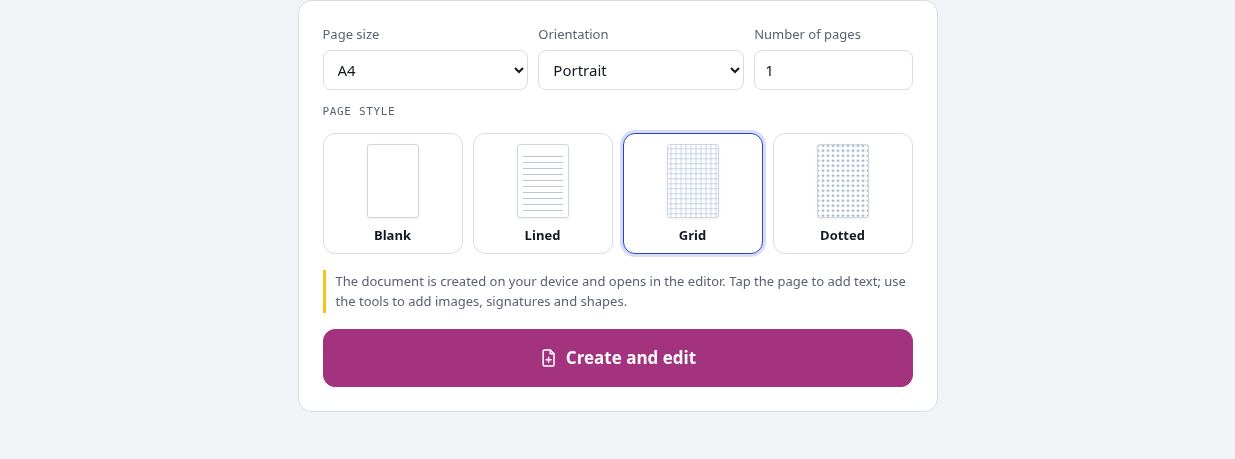
Start a new document without an existing PDF. Choose a page template and size, then open the result in the editor to add your content.
Open the toolPDF processing on your device · keep your originalBasic use is free without an account, a daily file quota or a PDFandGO watermark. OCR, existing-text replacement and Word export are separate advanced operations; using them on the document can change its download-access requirements. Current allowances and Pro plans.
How to create a PDF
- Choose A4, A5, A3, Letter or Legal paper and portrait or landscape orientation.
- Set the page count and select a blank, lined, grid or dotted template.
- Create the pages, add text or images in the editor, and save a PDF copy.
Start with a page template
Blank pages provide an open canvas for text and pictures. Lines, grids and dots can be useful for notes or worksheets; they are page backgrounds, not form fields. To convert an existing DOCX document instead, use Word to PDF. To design interactive fields, use the separate form creator.
Add content and arrange pages
The new document opens in the same editor used for existing PDFs. Add visible text, images or a signature, and check their positions. The organizer can add blank pages later, remove unwanted pages or change their order. Keep a source copy if you plan to make several versions.
Paper size and device capacity
Creation allows up to 200 pages. That setting is not a guarantee of effortless processing on every phone: added images and editing can increase memory use and file size. Basic page creation and adding new content are free; advanced operations such as OCR or existing-text replacement have separate rules.
Try the tool with sample files
Samples contain generated demonstration content, not real customer data. Keep the source when comparing settings. An example result does not guarantee the same behavior for every PDF.
Questions and answers
Which page templates are available?
Blank, lined, grid and dotted templates are available, with A4, A5, A3, Letter and Legal paper sizes.
Can I make more than one page?
Yes. You can choose 1 to 200 pages. Practical performance depends on the device and content you add.
Can I add a signature or picture?
Yes. The document opens in the editor, where you can add supported content and use the signature tool.
Does a grid page create a fillable form?
No. It is a background pattern. Use the form creator when you need interactive controls for other people to complete.
Are my document files uploaded?
PDF processing runs in your browser on your own device. Document files are not uploaded to a PDF-processing server. Software, fonts or language models may download when needed. Account, payment and technical data are handled separately under the privacy policy.
What are the access and download rules?
Basic use is free without an account, a daily file quota or a PDFandGO watermark. OCR, existing-text replacement and Word export are separate advanced operations; using them on the document can change its download-access requirements.