

 English
 Español
 Français
 Deutsch
 Italiano
 Português
 日本語
 Русский
 한국어
 简体中文
 繁體中文
 العربية
 Български
 Català
 Nederlands
 Ελληνικά
 हिन्दी
 Bahasa Indonesia
 Bahasa Melayu
 Polski
 Svenska
 ไทย
 Türkçe
 Українська
 Tiếng Việt
 Kiswahili
All tools › Convert
Convert Word to PDF online for free
Turn a DOCX document into a PDF with selectable text. The conversion runs in your browser, without uploading the document for processing. Open the converter, choose your file and review the result before downloading.
Convert Word to PDF → DOCX input · no account required · processing on your deviceThis basic conversion is free without an account, a daily file quota or a PDFandGO watermark. Other advanced operations have their own access rules. Current allowances and Pro pricing.
How to convert a Word document to PDF
- Open the converter and choose a .docx file, or drop it into the tool.
- Wait while the document is laid out and converted on your device. Microsoft Word does not need to be installed.
- Check the result preview, including headings, tables and images. The preview shows up to 12 pages.
- Choose Download, then open the saved PDF to review the complete document before sharing or printing.
DOCX to PDF without uploading your document
The converter reads the Word file and builds the PDF in your browser. Software and fonts may need to download first. Keep the tab open until conversion finishes; large documents require more device memory and may take longer on a phone.
The tool accepts modern DOCX files. For older DOC files, ODT or RTF documents, save a DOCX copy in Word or LibreOffice first. Changing the filename extension alone does not convert the document.
Check fonts, page breaks and the saved PDF
Text from supported paragraphs and tables remains selectable and searchable. Embedded pictures remain images; words inside a picture do not automatically become searchable text. Use OCR separately if you need image text recognized; OCR downloads follow the advanced-access rules.
Fonts are replaced with close available equivalents. Review line breaks, lists, table widths, headers and footers. Multi-column layouts, text boxes and special fonts can differ from Word. Page size and margins come from the DOCX document; edit the source file if you need to change them.
The PDF may be larger because it includes font data. To reduce its size, try Compress PDF and review the resulting quality.
Try a real DOCX-to-PDF example
This synthetic two-page Word document contains headings, paragraphs, a three-column table, a manual page break, a list and an embedded PNG. We converted it with the same PDFandGO tool. Download both files to compare the source and result.
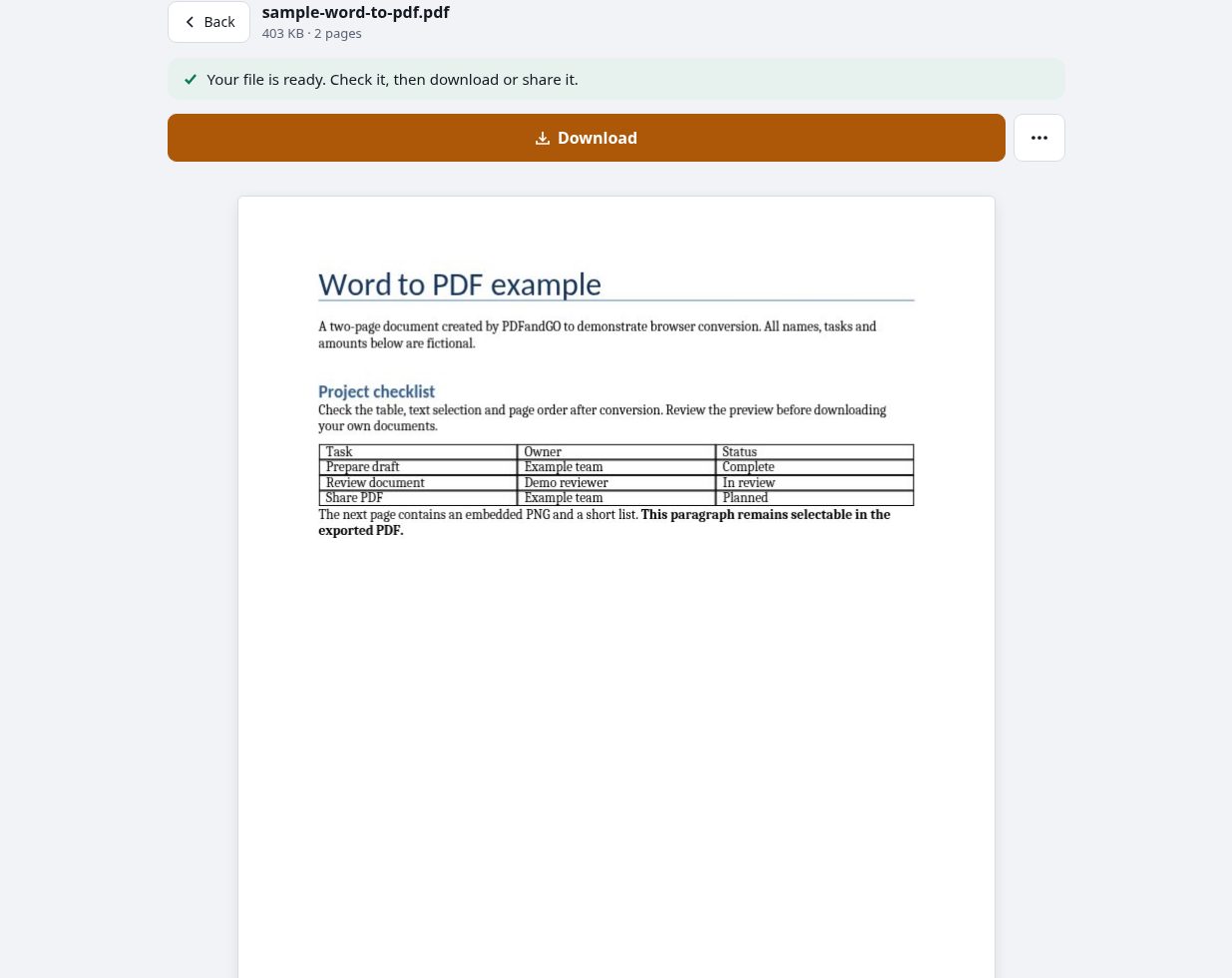
Download the original DOCX exampleDownload the converted PDF example
Created by PDFandGO with fictional content and no real customer data. This example demonstrates one document; it does not guarantee identical formatting for every Word file.
Word to PDF questions
Is Word to PDF free without signing up?
Yes. This basic conversion is free without an account, a daily file quota or a PDFandGO watermark. Other advanced operations have their own access rules. See current allowances and Pro pricing.
Can I convert DOC, ODT or RTF files directly?
No. This converter reads DOCX. Save a DOCX copy in Word or LibreOffice before selecting it. Renaming a DOC file to end in .docx does not change its format.
Will the PDF look exactly like the Word document?
Exact matching is not guaranteed. Fonts are replaced with close available equivalents, and complex layouts can differ. Check page breaks, tables, text boxes and special characters in the complete downloaded PDF.
Does PDFandGO upload my Word file?
The DOCX content is read and converted in your browser without uploading the document for processing. Software and fonts may download as needed. Account, payment and technical-usage data are handled separately under the privacy policy.
Can I convert Word to PDF on iPhone or Android?
Use a supported modern browser, open the converter and choose a DOCX file from your device. Keep the tab open during conversion. Large files may need more memory than a phone has available; try a smaller document or a computer.
Why won’t my Word file convert?
Check that the file is a valid DOCX. Older formats, damaged files and password-protected documents may not open. If you are authorized to do so, open the original in Word or LibreOffice and save an unencrypted DOCX copy.
Will the text remain selectable in the PDF?
Supported Word text is written as PDF text. You can select it and search for it in a PDF reader. Text inside an embedded photo or scan remains part of the image unless you use OCR separately.