

 English
 Español
 Français
 Deutsch
 Italiano
 Português
 日本語
 Русский
 한국어
 简体中文
 繁體中文
 العربية
 Български
 Català
 Nederlands
 Ελληνικά
 हिन्दी
 Bahasa Indonesia
 Bahasa Melayu
 Polski
 Svenska
 ไทย
 Türkçe
 Українська
 Tiếng Việt
 Kiswahili
All PDF tools › File size and document structure
Flatten PDF forms and comments
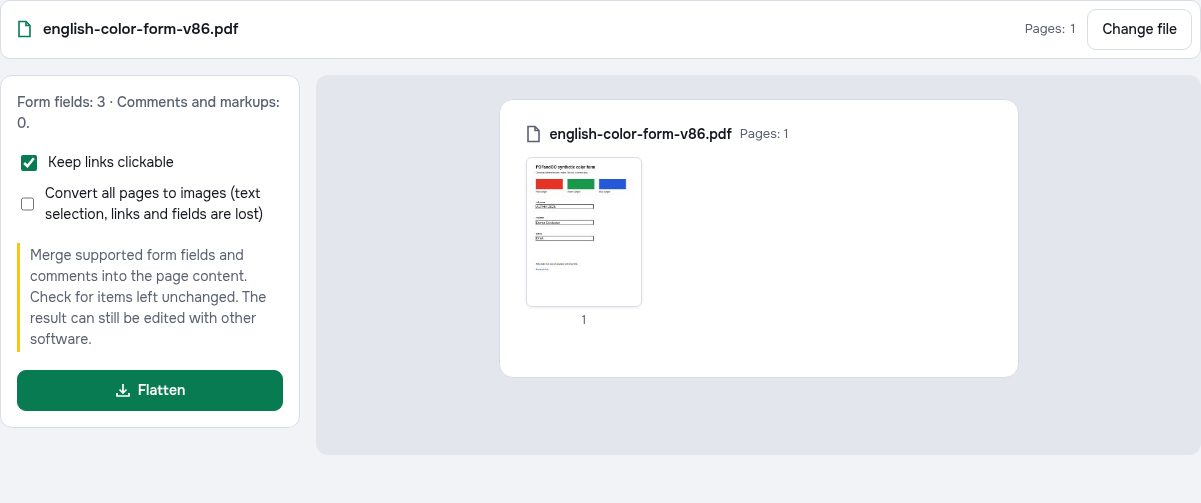
Merge supported form fields and comments into the page content. Check for items left unchanged. The result can still be edited with other software.
Open the toolPDF processing on your device · keep your originalBasic use is free without an account, a daily file quota or a PDFandGO watermark. OCR, existing-text replacement and Word export are separate advanced operations; using them on the document can change its download-access requirements. Current allowances and Pro plans.
How to flatten a PDF
- Open the PDF and review the detected form fields and annotations.
- Choose whether to keep links. Select image mode only if page images are suitable for your document.
- Create the flattened copy, read any unsupported-item message and check the downloaded file.
What flattening changes
A filled field can have an editable value and a visible appearance. Flattening tries to merge the supported appearance into the page and remove the interactive field or annotation. Keep the original form if you will need to change its fields later. Filling a form and designing a new fillable form are separate tasks.
Standard mode or page images?
Standard mode aims to preserve native PDF text and can keep web links when you select that option. Some annotations may not have an appearance the tool can flatten; check the completion message. Image mode renders the pages as pictures, removing selectable text, interactive fields and clickable links.
Flattening is not permanent edit protection
Flattening removes supported interactive controls; it does not make the file impossible to edit with other software. It also does not securely remove words underneath a cover shape. Use redaction to remove selected content, or password protection when you need an opening password.
Try the tool with sample files
Samples contain generated demonstration content, not real customer data. Keep the source when comparing settings. An example result does not guarantee the same behavior for every PDF.
Questions and answers
Will a flattened PDF still have editable fields?
Successfully flattened fields become page content and no longer work as interactive form controls. Unsupported items may remain; inspect the status and saved copy.
Can I keep clickable links?
Standard mode has a keep-links option. A page-image output does not retain clickable links.
Does flattening remove sensitive information?
No. It is a content-merging operation, not redaction. A visual cover can leave underlying information in the file.
Will text remain selectable?
Standard mode aims to retain native text. Image mode turns all page content into pictures, so text selection is lost.
Are my document files uploaded?
PDF processing runs in your browser on your own device. Document files are not uploaded to a PDF-processing server. Software, fonts or language models may download when needed. Account, payment and technical data are handled separately under the privacy policy.
What are the access and download rules?
Basic use is free without an account, a daily file quota or a PDFandGO watermark. OCR, existing-text replacement and Word export are separate advanced operations; using them on the document can change its download-access requirements.